
Advanced
Advanced is under Settings. It has two sections: how far back Mergify looks for orders, and what one shipping label costs you.
Both sections share one save bar. It appears when you change either, Save saves everything you changed, and Discard drops it.
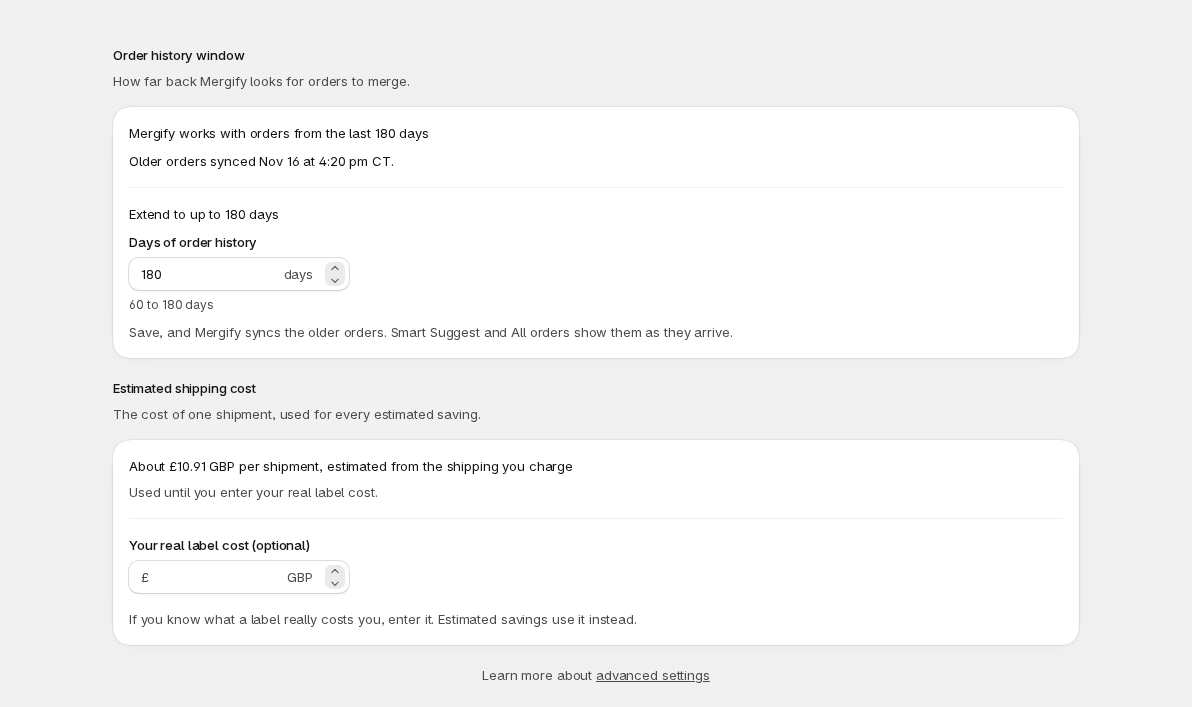
Order history window
Section titled “Order history window”The window is how far back Mergify looks for orders to merge. The page says “Mergify works with orders from the last 60 days” (or whatever your window is). It counts from the date each order was created.
Extending the window
Section titled “Extending the window”To merge older orders, extend the window up to 180 days:
- Under Extend to up to 180 days, enter a whole number from 60 to 180 in Days of order history.
- Select Save.
Mergify then imports the older orders. The page shows “Importing orders up to 120 days old” with how many orders it has imported out of the total. You can leave the page: Smart Suggest and All orders show the older orders as they arrive. When the import finishes, the page says “Older orders synced” with the date.
If the import stops early, a banner says “The import stopped before it finished” and “Orders already imported are kept.” Try again restarts it.
Extending the window changes what Mergify can merge, so check these first:
- Automerge. From the moment you save, Automation can merge older orders: it reads your live Shopify orders with the new window and doesn’t wait for the import, which only feeds Smart Suggest and All orders. Keep your filtering rules in place so only the orders you want are merged.
- The warehouse. Older orders may already be picked or packed. Check them before you include them in a combined shipment.
Entering a number outside 60 to 180 shows “Enter 60 to 180 days”. Lowering the number deletes nothing: orders older than the new window just stop appearing and stop being merged.
Label cost
Section titled “Label cost”Mergify shows how much a merge saves you in Estimated savings on Overview and Est. saving in Smart Suggest. Each merge counts one shipment saved for every order after the first, so merging three orders saves two shipments. The label cost is the cost of one shipment in that sum.
The section is called Estimated shipping cost. Until you enter your own number, Mergify estimates it from the shipping you charge your customers, and the page says “About $8.20 per shipment, estimated from the shipping you charge”. To use your real cost instead:
- In Your real label cost (optional), enter an amount from 0 to 1000, with at most two decimals, in your store’s currency.
- Select Save.
The page then says “$6.50 per shipment, from your label cost” and shows Mergify’s own estimate beneath it. Estimated savings use your number from then on. Use estimate drops your number and goes back to the estimate; it saves right away. Clearing the field and selecting Save does the same.
If Mergify has no shipping charges to estimate from and you haven’t entered a cost, Overview asks you to enter your label cost to see estimated savings.
The label cost is only for these estimates. It doesn’t change what Mergify charges: see Plan & usage for that.